
Quiz Master V1
Timeline
15 days
Role
Full Stack
Team
Solo
Status
Completed
An online platform built to simplify learning and assessment. Teachers can create quizzes easily, while students can take exams and track progress. Designed to make knowledge testing efficient, interactive, and accessible for everyone.
Technology Stack
Frontend
- HTML
- CSS
- JavaScript
Backend
- Flask
- Jinja2/Python
- SQLite
Key Challenges
- Handling dynamic quiz creation and storage
- Ensuring real-time scoring and feedback for students
- Implementing secure role-based access for teachers and students
Key Learnings
- Building a full-stack app with Flask & Jinja2 templates
- Integrating Bootstrap for responsive design
- Implementing authentication and SQLite data management
- Improving UX through interactive and instant feedback
Overview
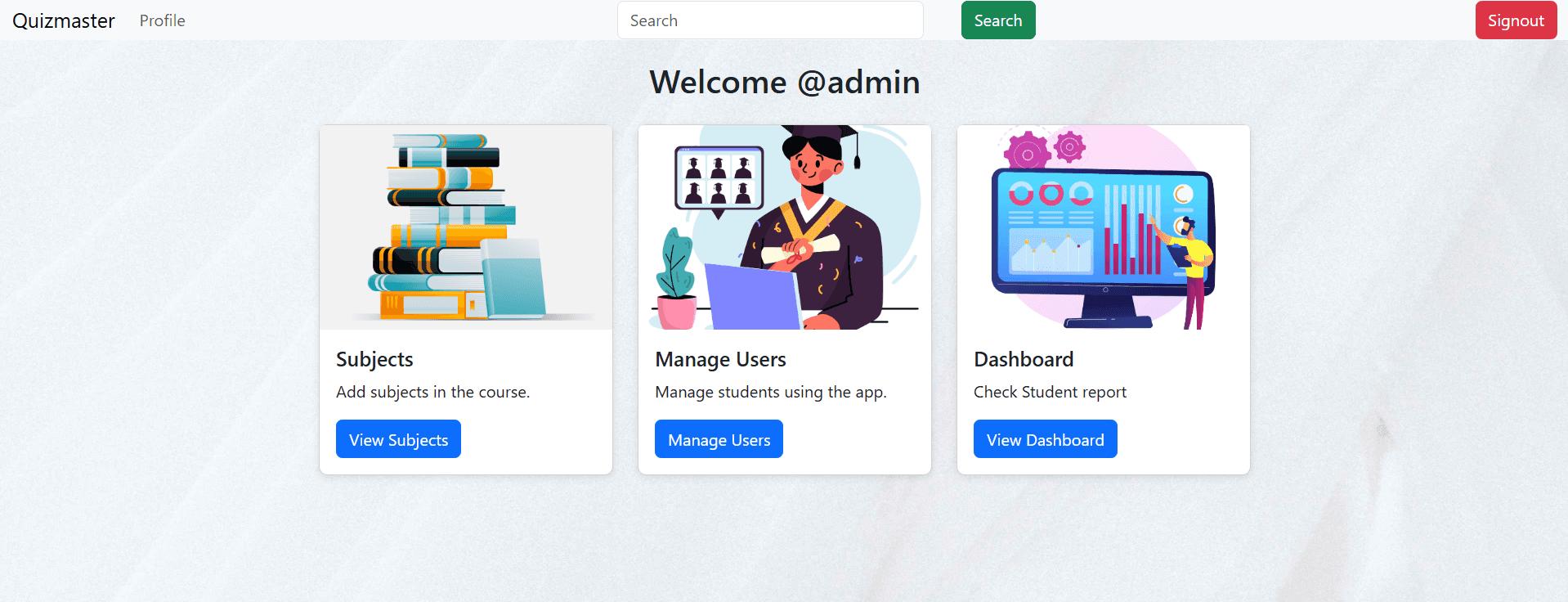
Quiz Master is a web-based application where educators can create, manage, and conduct quizzes while students can take exams and assess their knowledge.
What Users Can Do:
- Teachers can create quizzes
- Students can attempt quizzes anytime
- Automatic scoring and instant feedback
- Performance analytics
- Quiz scheduling and deadline management
- Role-based secure login
- Exportable reports
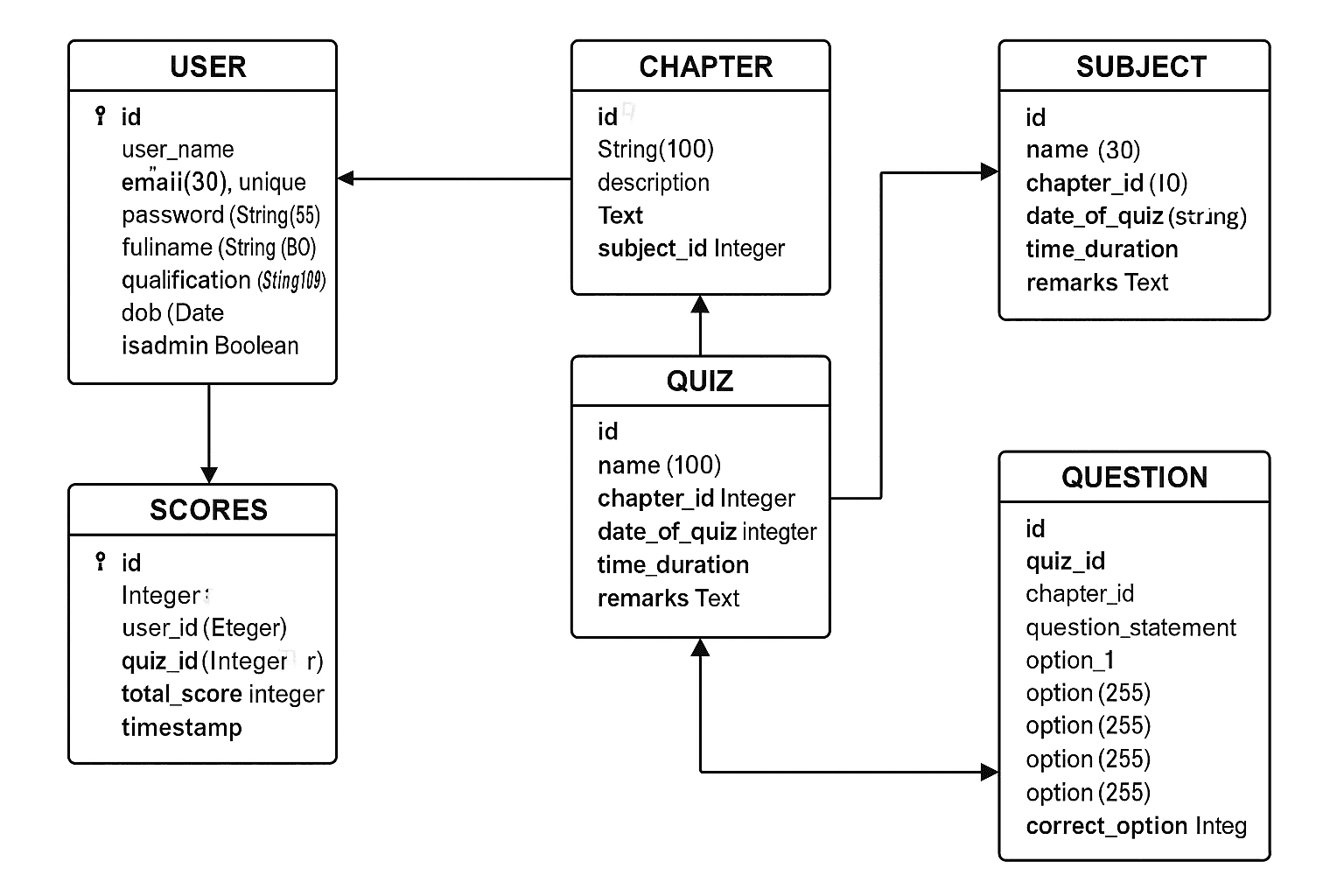
ER Diagram
This ER diagram represents the core database structure: Users, Subjects, Chapters, Quizzes, Questions, and Scores.
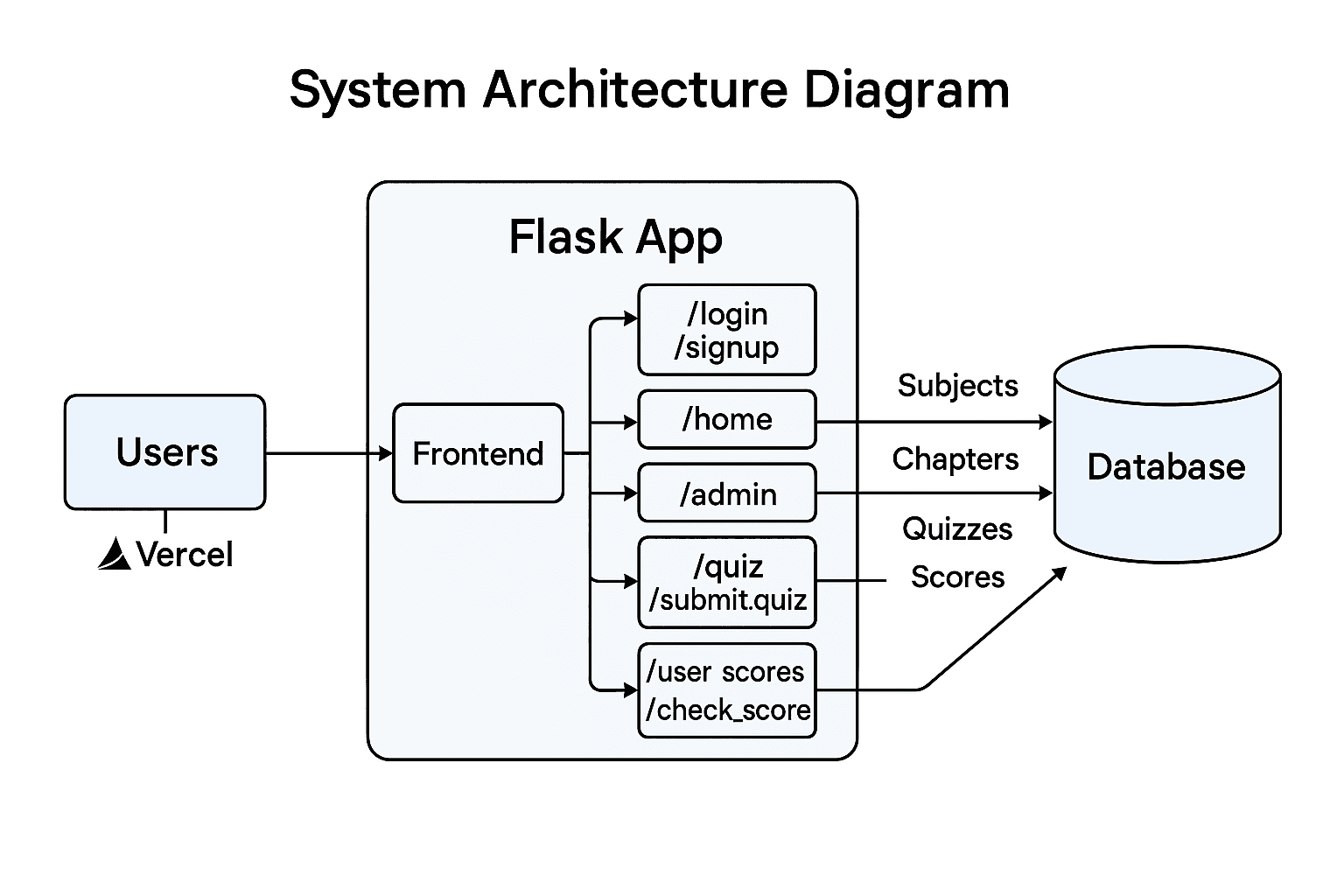
System Architecture Diagram
High-level overview of how users interact with the frontend, backend, and database.
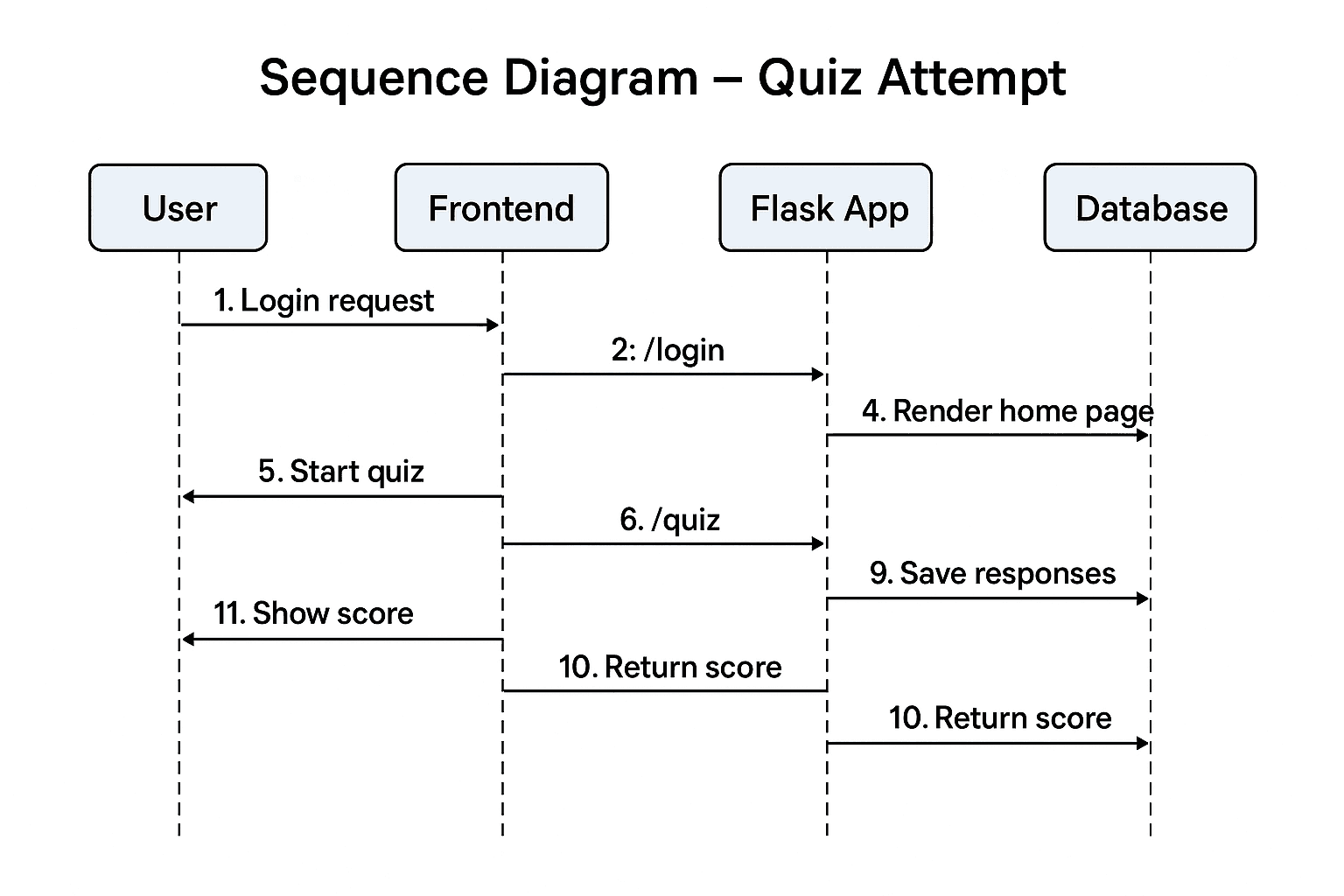
Sequence Diagram – Quiz Attempt
Sequence of interactions when a student takes a quiz and submits answers.
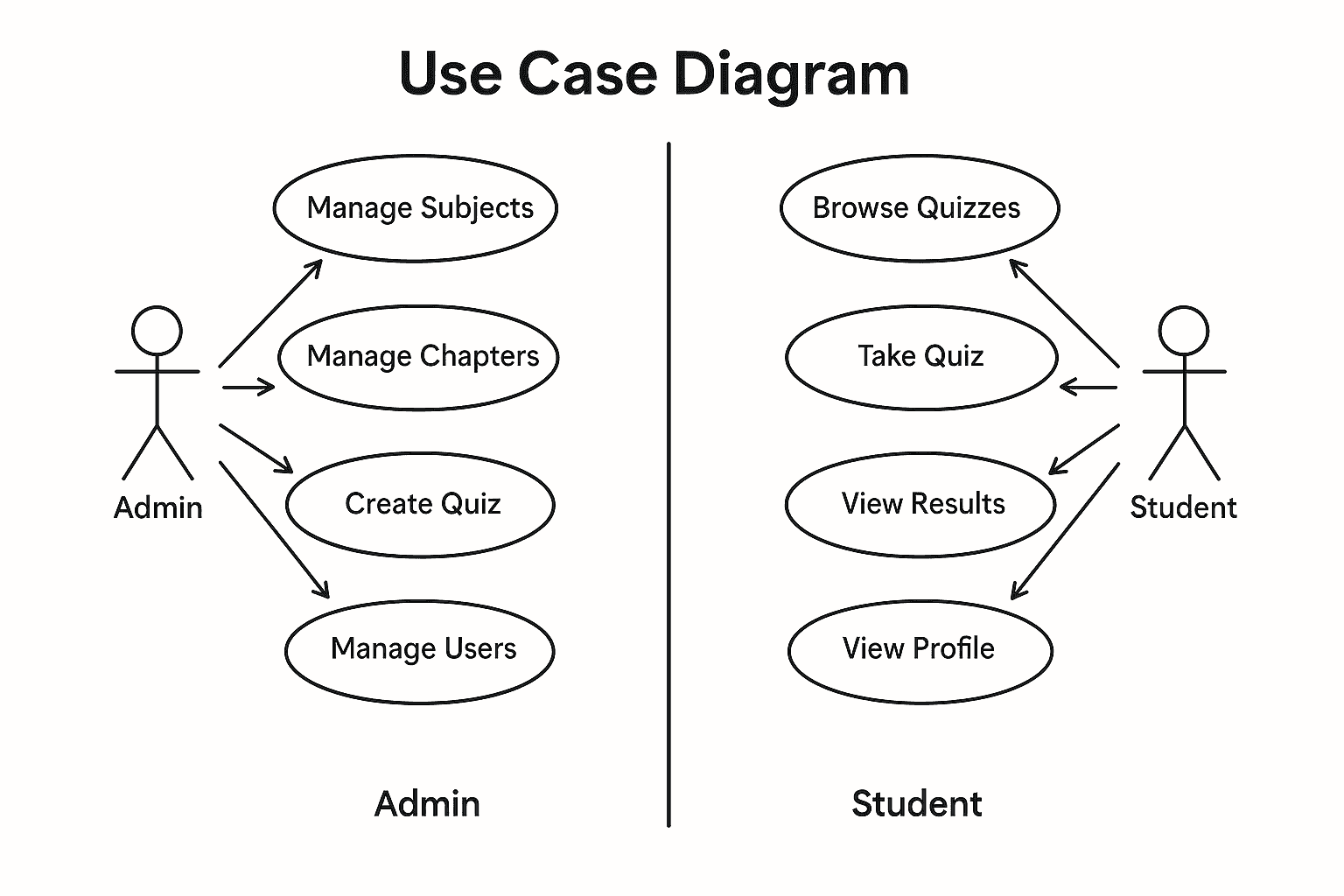
Use Case Diagram
Highlights the core actions available to both Admins and Students.
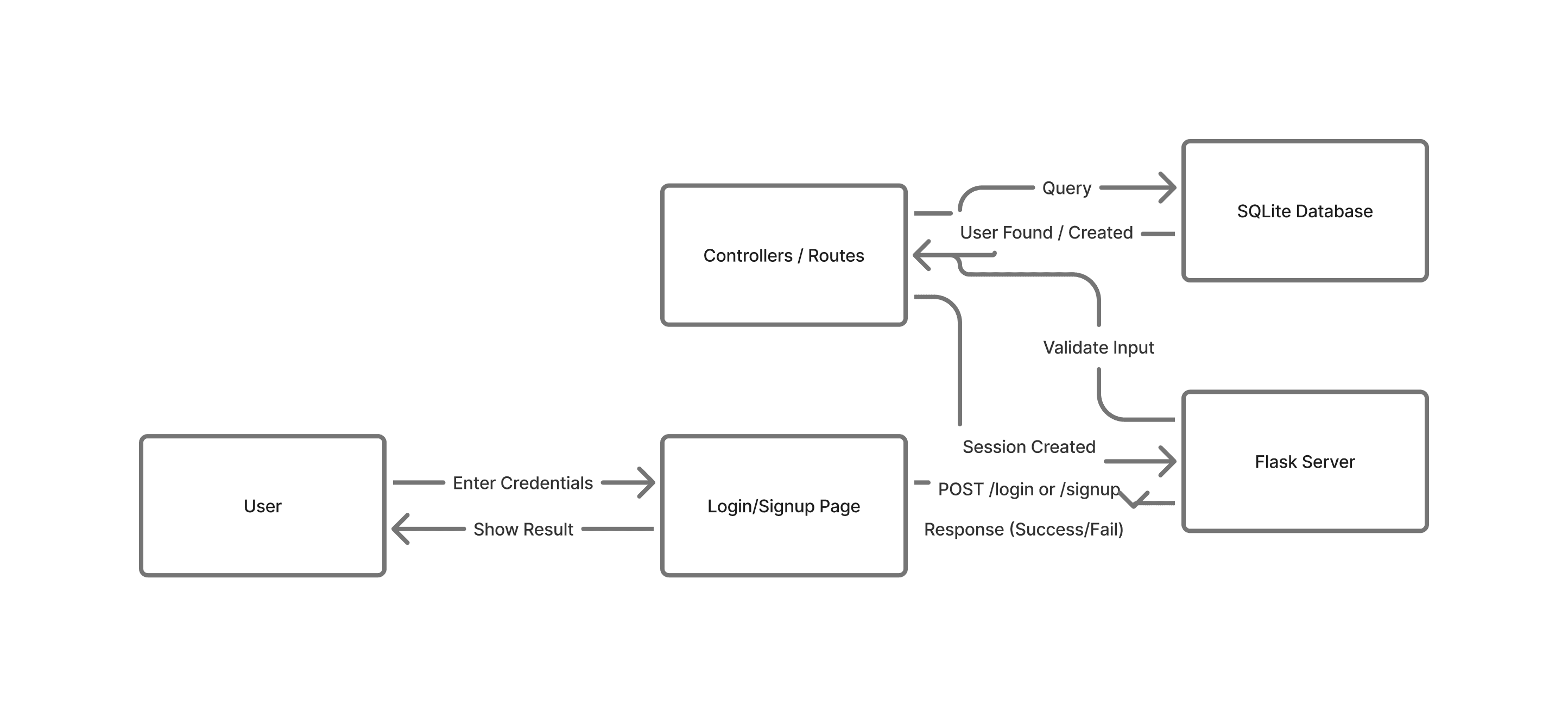
Data Flow Diagram (DFD Level 0)
Shows the movement of data between system components.
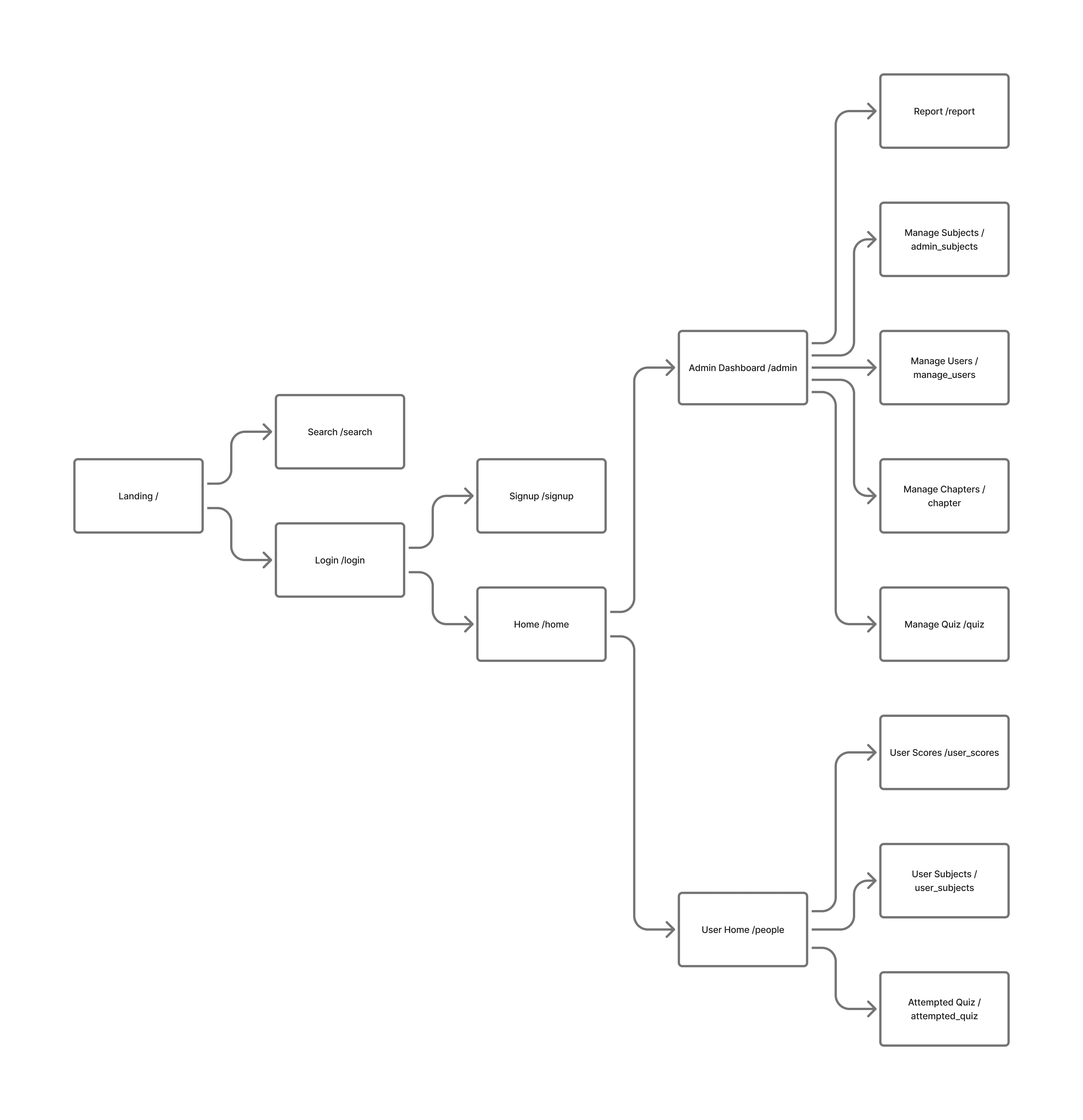
Route Map
All major Flask routes used for authentication, quizzes, admin operations, and user activities.
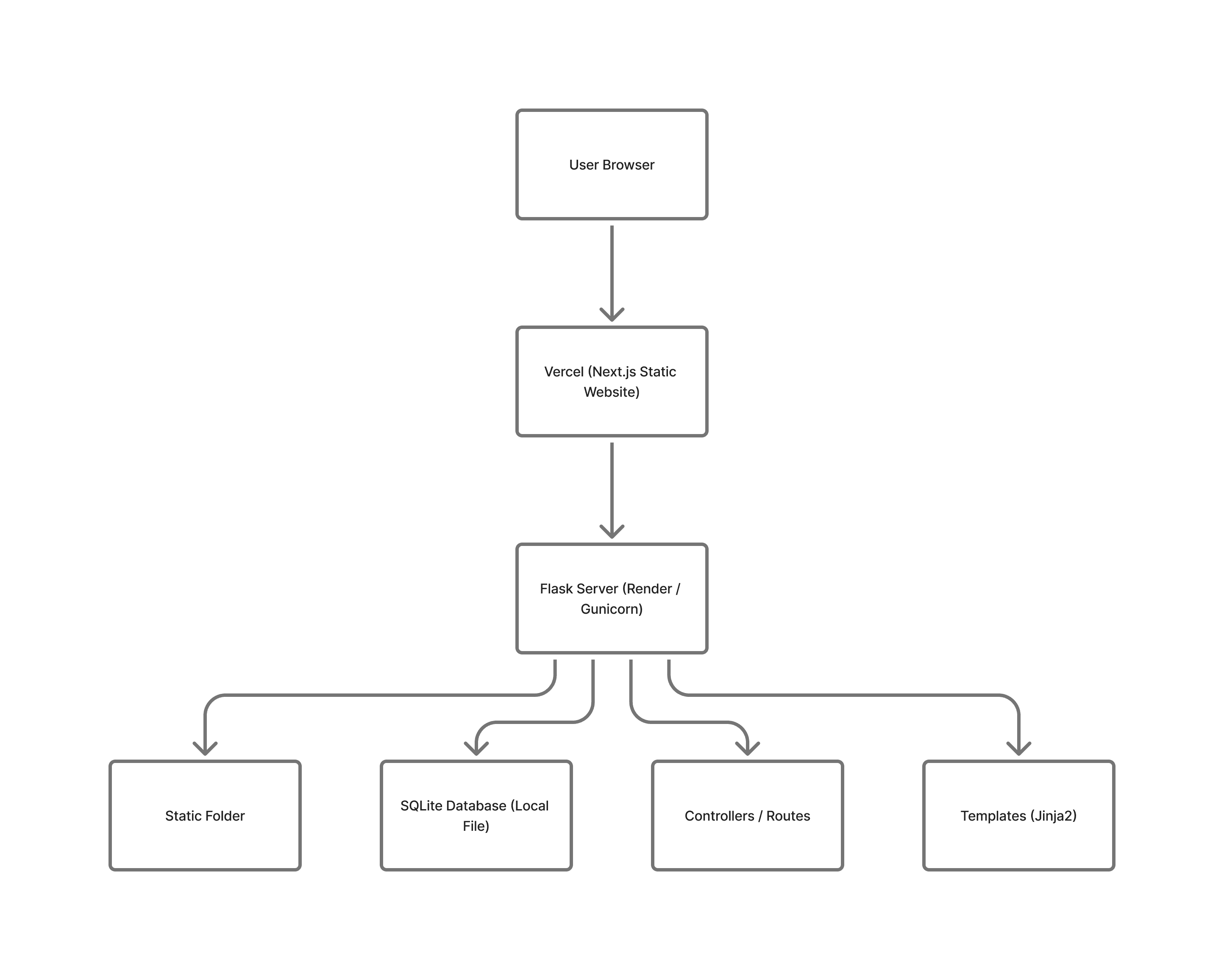
Deployment Diagram
Shows how the project is hosted and how services interact.